
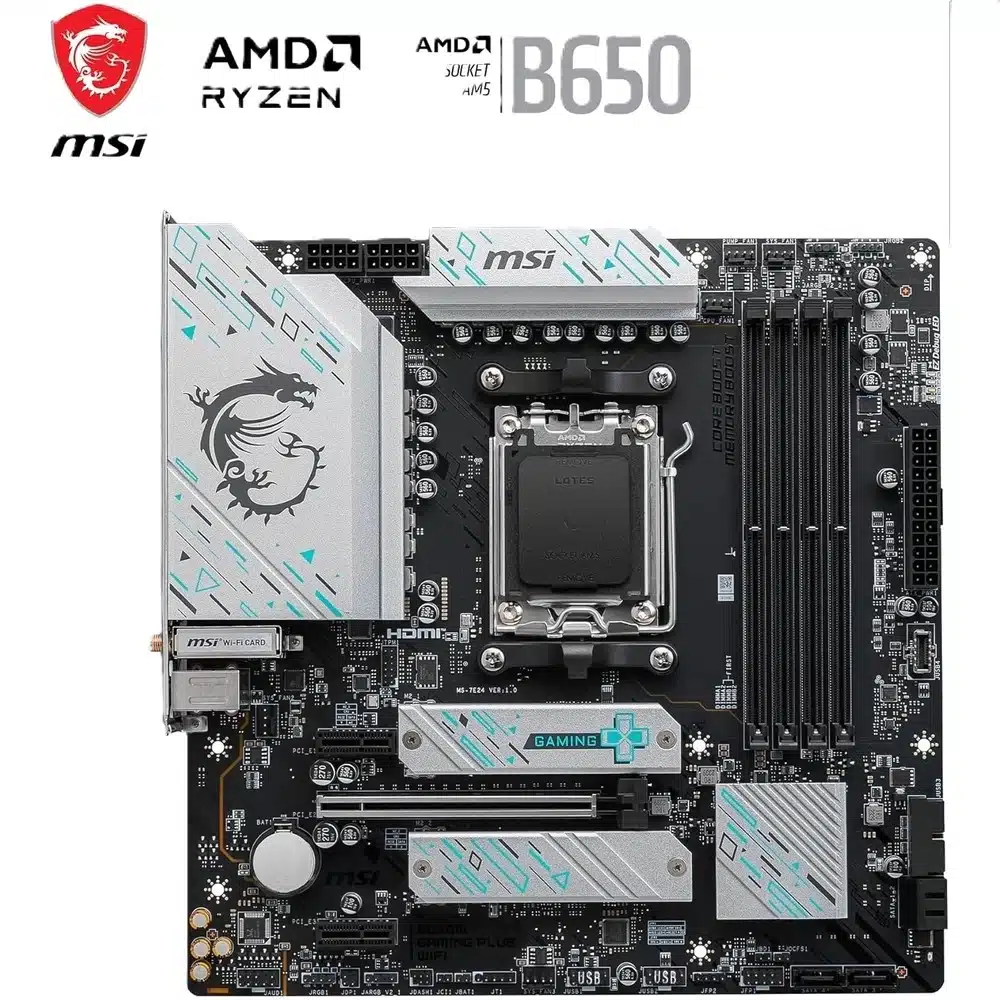
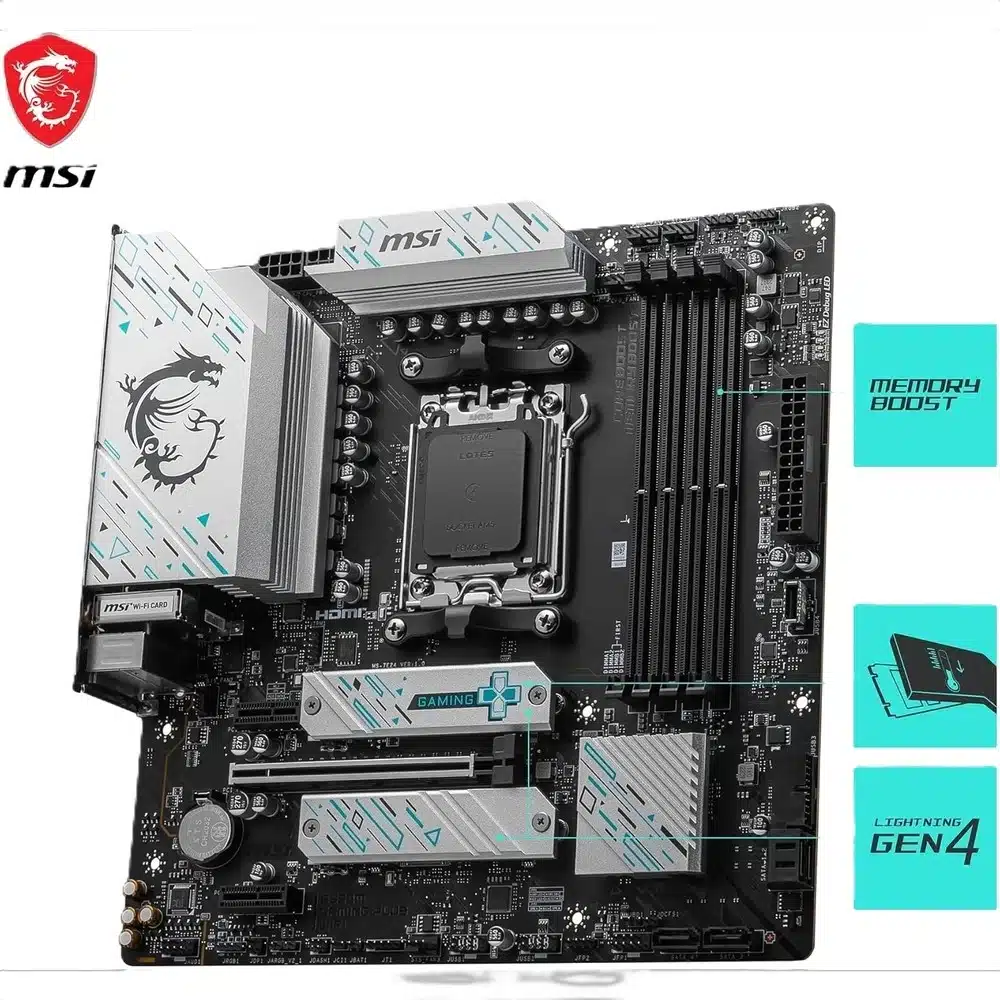
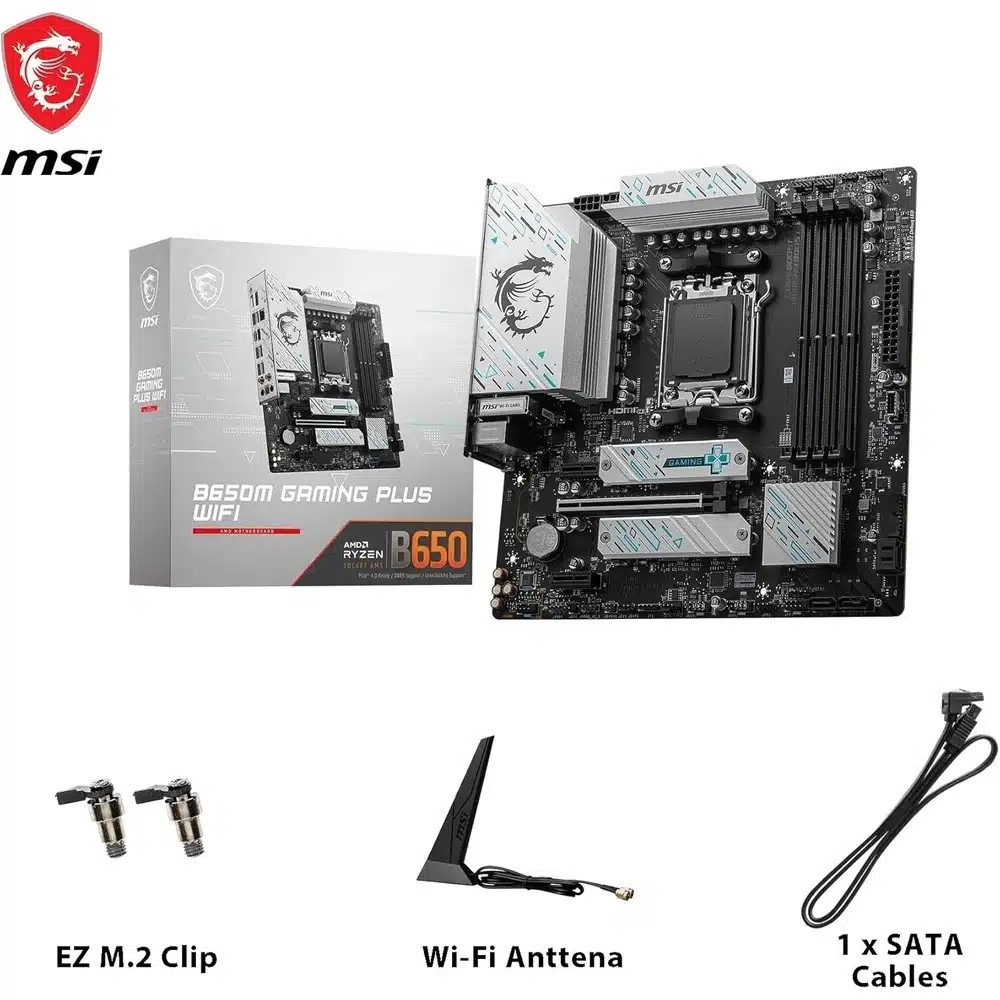
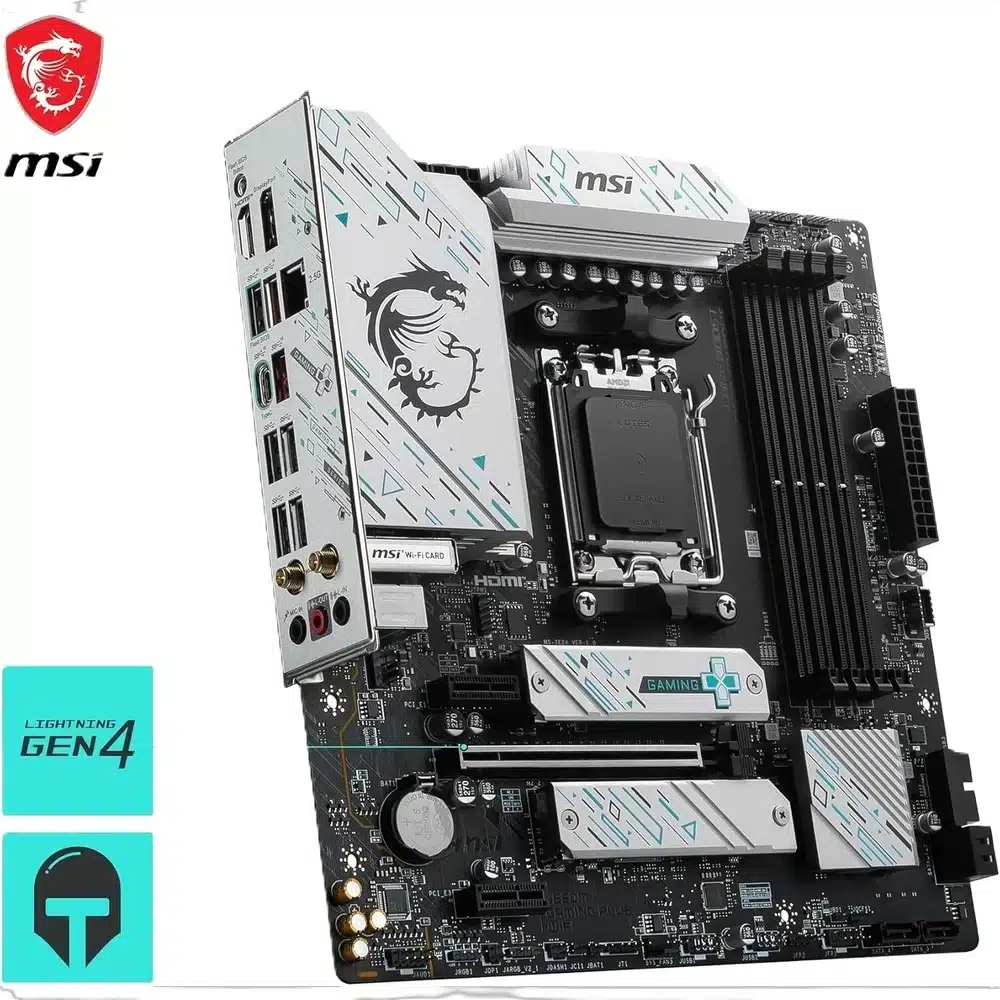
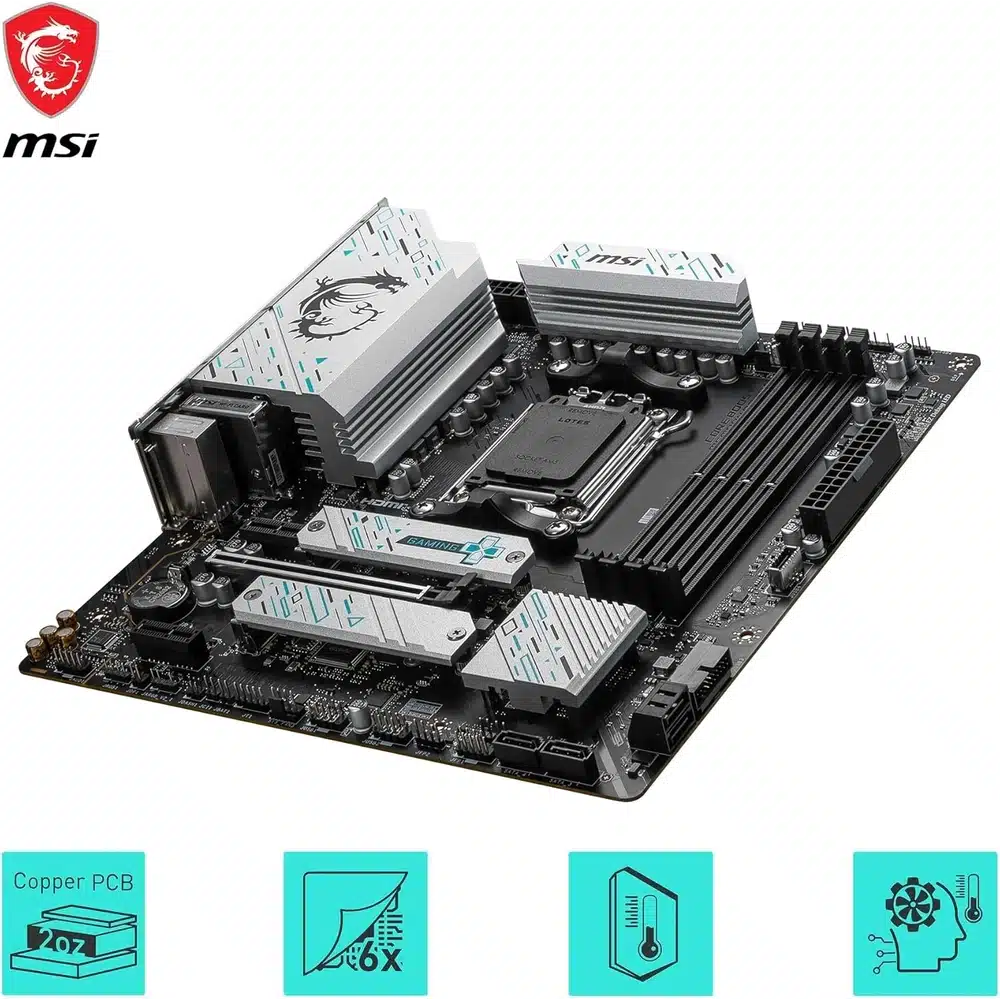
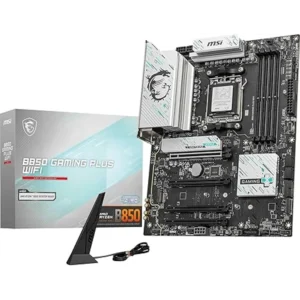
The MSI B650M Gaming Plus WIFI is the micro-ATX AM5 board that does not pretend to have PCIe 5.0. The graphics slot and both M.2 slots run PCIe 4.0, and both M.2 slots come straight off the processor. It has a named ALC897 audio codec, a 2.5GbE Realtek controller, Wi-Fi 6E and a Flash BIOS Button. Below we also publish the memory speed table MSI prints and nobody else repeats, because it changes with how many sticks you fit.

Table of Contents
- The MSI B650M Gaming Plus has no PCIe 5.0, and that is a decision rather than a failure
- MSI publishes four memory speeds for the B650M Gaming Plus, and the number you get depends on your sticks
- The MSI B650M Gaming Plus expansion slots are honest about their size
- Storage on the MSI B650M Gaming Plus: two M.2 slots, both from the CPU
- Connectivity and audio on the MSI B650M Gaming Plus
- MSI B650M Gaming Plus power delivery and what it is built for
- Who the MSI B650M Gaming Plus is not for
- Buying the MSI B650M Gaming Plus WIFI in the UAE
- Technical Specifications
- FAQ
The MSI B650M Gaming Plus has no PCIe 5.0, and that is a decision rather than a failure
Let us be direct about the thing that separates this board from everything else on our motherboard shelf. The graphics slot on the MSI B650M Gaming Plus runs PCIe 4.0 at x16 with Ryzen 9000 and 7000 processors. Both M.2 slots run PCIe 4.0 at x4. There is no PCIe 5.0 anywhere on this board.
Here is the part the specification-sheet arguments leave out. No current graphics card is limited by PCIe 4.0 x16. Not one. The bandwidth difference between PCIe 4.0 x16 and PCIe 5.0 x16 shows up in synthetic tests and does not show up in frame rates on any card you can buy today.
Storage is the same story with one caveat. A PCIe 4.0 NVMe drive reads at roughly 7 GB/s, a PCIe 5.0 drive at roughly 14. In real use, loading a game or opening a project, the difference is mostly invisible because both are far faster than the software asking for the data. PCIe 5.0 drives also run hot and cost considerably more per terabyte.
The honest caveat: if you intend to buy a PCIe 5.0 SSD in the next few years and want it to run at full speed, this is the wrong board and you should look at a B850 or X870. If you are fitting a sensible PCIe 4.0 drive and a graphics card, the MSI B650M Gaming Plus costs less and loses you nothing you will notice.
MSI publishes four memory speeds for the B650M Gaming Plus, and the number you get depends on your sticks
Almost every listing prints one memory number. MSI publishes four, and which one applies to you depends on how many modules you fit and whether they are single or dual rank.
With one module per channel and single-rank modules, MSI rates the MSI B650M Gaming Plus at up to 7200+ MHz. With one module per channel and dual-rank modules, up to 6000+. With two modules per channel and single-rank modules, up to 6000+. With two modules per channel and dual-rank modules, up to 5400+.
Translated: a two-stick kit of single-rank modules gets the headline speed. Filling all four slots, or using the denser dual-rank modules that most 32 GB sticks are, drops you to 6000 or 5400. That is not MSI being cautious, it is electrical reality on every AM5 board, and MSI is one of the few vendors that prints the table instead of the best-case figure alone.
Practical advice: buy a two-stick 32 GB kit at DDR5-6000 with AMD EXPO. You will hit the rating, you will leave two slots free, and 6000 is where the AM5 platform performs best anyway. Maximum capacity is 256 GB across the four slots.
The MSI B650M Gaming Plus expansion slots are honest about their size
The MSI B650M Gaming Plus has one PCIe x16 slot at PCIe 4.0 x16 from the processor, and two PCIe x1 slots at PCIe 3.0 x1 from the chipset.
This is worth comparing with how the GIGABYTE boards in this price range do it. They fit full-length x16-size sockets that run at a single PCIe 3.0 lane, so a large card physically slides in and then runs at a fraction of its bandwidth. MSI fits actual x1 slots, so a x4 card will not physically fit unless the slot is open-ended.
Neither approach is better in performance terms, because a single PCIe 3.0 lane is a single lane either way. MSI approach is more honest about what you are getting and worse if you own a large card that only needs a little bandwidth, such as a sound card or an older capture card. GIGABYTE approach lets you fit the card and then disappoints you.
If your build needs a x4 or x8 expansion card with real bandwidth, no board in this price bracket serves you, including the MSI B650M Gaming Plus. That requires a board with chipset lanes to spare.
Storage on the MSI B650M Gaming Plus: two M.2 slots, both from the CPU
The MSI B650M Gaming Plus has two M.2 slots, and MSI states both are sourced from the processor rather than the chipset. Each runs PCIe 4.0 at x4. That is the configuration that matters: neither slot is competing with the USB controller or the SATA ports for chipset bandwidth, so both drives run at their rated speed at the same time.
One limit to check before you order: both slots take 2260 and 2280 drives only. There is no support for the longer 22110 format. Almost every consumer NVMe drive is 2280, so this affects very few people, but if you were planning to reuse a long enterprise drive it will not fit.
SATA is four ports at 6Gb/s with RAID 0, 1 and 10 support. Four is the standard allowance in this class and the number to count your drives against.
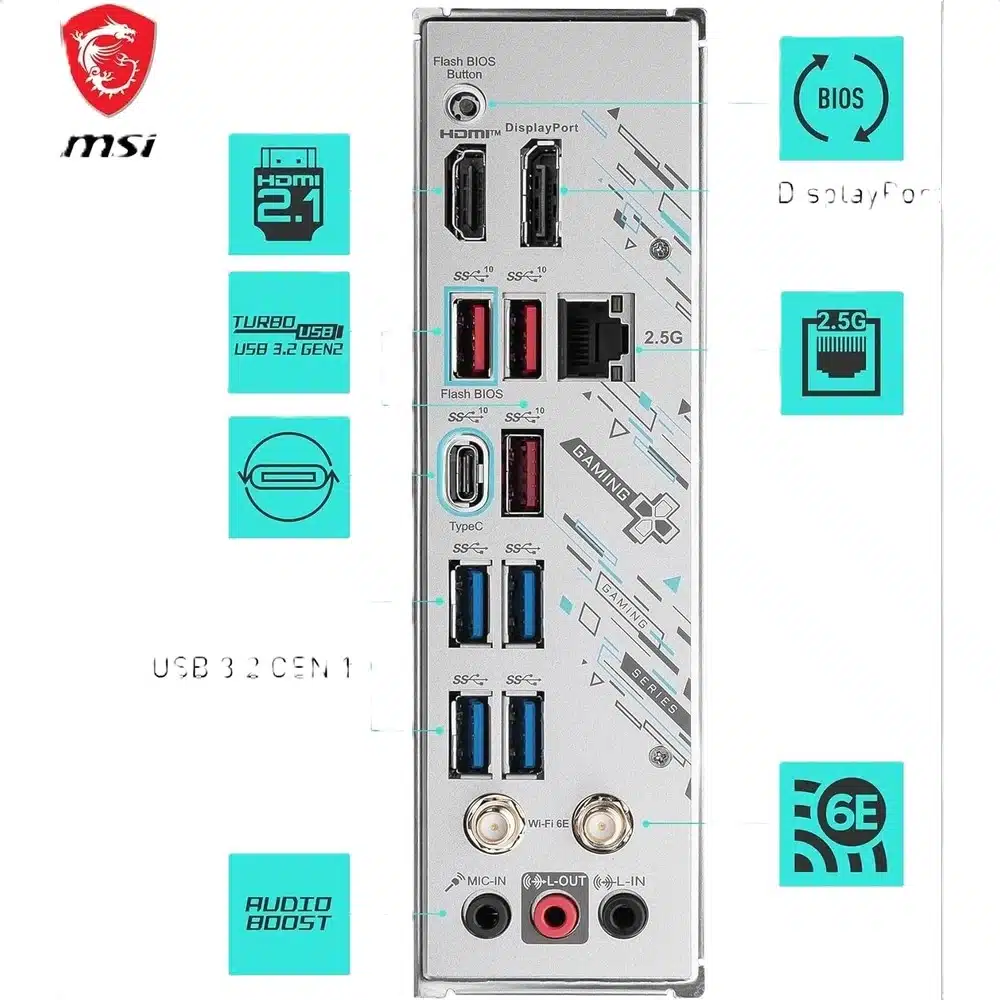
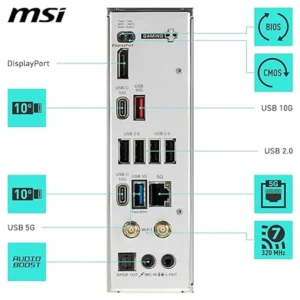
The MSI B650M Gaming Plus also has a Flash BIOS Button on the rear panel. This is MSI equivalent of Q-Flash Plus and it does the same essential job: it updates the BIOS with no processor, no memory and no graphics card installed. On AM5, where a board can ship before the chip you are pairing it with was released, this is the feature that turns a dead build into a working one.
Connectivity and audio on the MSI B650M Gaming Plus
USB on the rear of the MSI B650M Gaming Plus is three USB 3.2 Gen 2 Type-A at 10 Gbps, one USB 3.2 Gen 2 Type-C at 10 Gbps, four USB 3.2 Gen 1 Type-A at 5 Gbps and two USB 2.0. That is a lot of 10 Gbps ports for the money, and more of them than most boards in this bracket offer.
The Type-C is 10 Gbps, not USB4 at 40. B650 does not require USB4, so if 40 Gbps is what you need, an X870 board is the answer.
Networking is a Realtek 8125BG controller at 2.5 Gbps, 1 Gbps or 100 Mbps. Wireless is Wi-Fi 6E across 2.4, 5 and 6 GHz with Bluetooth 5.3. Note that our own product title previously said Wi-Fi 6. MSI publishes Wi-Fi 6E for this board on both its specification page and in the user manual, so 6E is correct and we have fixed the title. The 6 GHz band is the part that matters, because it is the one that is not already crowded.
Audio is the Realtek ALC897 with 7.1-channel output. MSI names the part, which is more than GIGABYTE does on several boards in this range. ALC897 is an entry-level codec rather than a premium one, and that is the honest description: perfectly fine through speakers or a gaming headset, not the part you would choose if you drive high-impedance headphones straight from the board.
Display output is one HDMI 2.1 and one DisplayPort 1.4, both rated at 4K 60 Hz. Two outputs from the integrated graphics, which is more than some boards at this price and fewer than the three on the GIGABYTE B850M Eagle WIFI6E ICE.
MSI B650M Gaming Plus power delivery and what it is built for
MSI publishes a 10+2+1 power phase design for this board. That is ten phases for the processor core, two for the SOC and one for auxiliary rails.
Ten core phases on the MSI B650M Gaming Plus is the right amount for what this board is: a solid foundation for a Ryzen 5 or Ryzen 7 gaming build. A Ryzen 7 9800X3D, which is the processor most people building a gaming machine on AM5 actually want, is not a demanding chip for a VRM because the X3D parts run at modest power.
If your plan is a 16-core Ryzen 9 pinned at full load for hours, or manual overclocking, the boards with 12 and 16 phase designs give you more headroom and you should buy one of those. We would rather say that than sell you this board and have you wonder why it throttles under a render.
What the MSI B650M Gaming Plus is genuinely good at is being the cheapest sensible AM5 board that does not cut a corner you will feel: two CPU-attached M.2 slots, a named audio codec, 2.5GbE, Wi-Fi 6E, a BIOS flash button and eight 5 Gbps or faster USB ports.
Who the MSI B650M Gaming Plus is not for
Not for PCIe 5.0, in any form. Not for the graphics slot, not for storage. Every other board in this range has PCIe 5.0 somewhere and this one does not. If a PCIe 5.0 SSD is in your future, buy a B850 or X870 board instead.
Not for a Ryzen 9 under sustained full load, or for manual overclocking. Ten phases is adequate for a Ryzen 5 or 7 and it is not a 16-phase design.
Not for USB4 at 40 Gbps. The Type-C is 10 Gbps.
Not for Wi-Fi 7. This is Wi-Fi 6E with Bluetooth 5.3.
Not for a 22110 length NVMe drive. Both M.2 slots take 2260 and 2280 only.
Not for a large expansion card. The two secondary slots are physically x1, so a x4 card will not fit at all.
Not for high-impedance headphones straight from the board. ALC897 is an entry-level codec and a USB DAC is the answer if that is your setup.
And not for three NVMe drives or a large SATA array. Two M.2 slots and four SATA ports.
Buying the MSI B650M Gaming Plus WIFI in the UAE
This is the board for the gaming build where the money should go to the graphics card. A Ryzen 7 with a good GPU on the MSI B650M Gaming Plus will perform identically to the same parts on a board costing twice as much, because nothing on this board is the bottleneck for that configuration.
What you are giving up is future-proofing rather than present performance: no PCIe 5.0, no USB4, no Wi-Fi 7. If you upgrade boards every few years anyway, none of that costs you. If you buy a board and keep it for six years, one of the B850 options is the better call.
We ship across the Emirates including Dubai, Abu Dhabi, Sharjah and Ajman from locally held stock, so delivery is measured in days. Boards are genuine MSI retail units in sealed boxes.
Warranty is one year from Totot against manufacturing defects. The product title carries no TDRA registration, so no separate agent warranty applies to it, and we prefer to state that plainly rather than let you assume coverage that does not exist. Our 14-day return policy covers defective or non-conforming items.
Technical Specifications
- Socket: AMD Socket AM5
- Processor support: AMD Ryzen 9000, 8000 and 7000 Series desktop processors
- Chipset: AMD B650
- VRM: 10+2+1 power phase design
- Memory: 4 x DDR5 DIMM, up to 256 GB, AMD EXPO supported
- Memory speeds: Up to 7200+ MHz with 1 module per channel single rank, 6000+ MHz with 1 module per channel dual rank, 6000+ MHz with 2 modules per channel single rank, 5400+ MHz with 2 modules per channel dual rank
- Main PCIe slot: 1 x PCIe x16 at PCIe 4.0 x16 with Ryzen 9000 and 7000. No PCIe 5.0 on this board
- Secondary slots: 2 x PCIe x1 slots at PCIe 3.0 x1 (physically x1 sockets)
- M.2 slot 1: PCIe 4.0 x4 from the CPU, 2260 and 2280 drives
- M.2 slot 2: PCIe 4.0 x4 from the CPU, 2260 and 2280 drives
- SATA: 4 x SATA 6Gb/s with RAID 0, 1 and 10
- Rear USB: 3 x USB 3.2 Gen 2 Type-A at 10 Gbps, 1 x USB 3.2 Gen 2 Type-C at 10 Gbps, 4 x USB 3.2 Gen 1 Type-A at 5 Gbps, 2 x USB 2.0
- Display outputs: 1 x HDMI 2.1 at 4K 60 Hz and 1 x DisplayPort 1.4 at 4K 60 Hz
- LAN: Realtek 8125BG 2.5Gbps controller
- Wi-Fi: Wi-Fi 6E on 2.4, 5 and 6 GHz
- Bluetooth: Bluetooth 5.3
- Audio: Realtek ALC897 codec, 7.1-channel High Definition Audio
- BIOS recovery: Flash BIOS Button on the rear panel, works with no CPU, memory or graphics card installed
- Form factor: Micro-ATX, 243 mm x 243 mm (9.6 x 9.6 in)
- Warranty: 1 year Totot warranty against manufacturing defects
Every figure on this page comes from MSI own specification page and the official B650M GAMING PLUS WIFI user manual. Where MSI attaches a condition to a number, such as memory speeds that change with how many modules are fitted, we have kept the condition attached to it. Full details are published on the official MSI B650M GAMING PLUS WIFI specification page.
FAQ
Does the MSI B650M Gaming Plus have PCIe 5.0?
No. The graphics slot is PCIe 4.0 x16 and both M.2 slots are PCIe 4.0 x4. No current graphics card is limited by PCIe 4.0 x16, so this costs you nothing today. It does mean a PCIe 5.0 SSD would run at PCIe 4.0 speed.
Is the MSI B650M Gaming Plus Wi-Fi 6 or Wi-Fi 6E?
Wi-Fi 6E, on 2.4, 5 and 6 GHz, with Bluetooth 5.3. MSI publishes 6E on both its specification page and in the official user manual. Our product title previously said Wi-Fi 6 and we have corrected it.
What memory speed will the MSI B650M Gaming Plus actually give me?
It depends on your modules. MSI rates the MSI B650M Gaming Plus at up to 7200+ MHz with two single-rank sticks, 6000+ MHz with two dual-rank sticks or four single-rank sticks, and 5400+ MHz with four dual-rank sticks. A two-stick DDR5-6000 EXPO kit is the sensible buy.
How many M.2 slots does the MSI B650M Gaming Plus have?
Two, and MSI states both are sourced from the processor rather than the chipset, each at PCIe 4.0 x4. Both take 2260 and 2280 drives. There is no 22110 support.
What audio codec does the MSI B650M Gaming Plus use?
Realtek ALC897 with 7.1-channel output. MSI names the part, which many competitors at this price do not. It is an entry-level codec: fine through speakers or a headset, not the one to drive high-impedance headphones.
Can it recover from a BIOS that is too old for my processor?
Yes. There is a Flash BIOS Button on the rear panel that updates the BIOS with no processor, memory or graphics card installed. On AM5 this is the feature that saves a build when the board shipped before your chip launched.
What warranty comes with it in the UAE?
One year from Totot against manufacturing defects. The product title carries no TDRA registration, so no separate agent warranty applies, and we say so rather than let you assume coverage that is not there.
Browse more in our Motherboards range. Every order from Totot carries a 1-year warranty covering manufacturing defects, with our 14-day return policy for defective or non-compliant items, and nationwide UAE delivery.



 No products in the cart.
Reviews
There are no reviews yet