
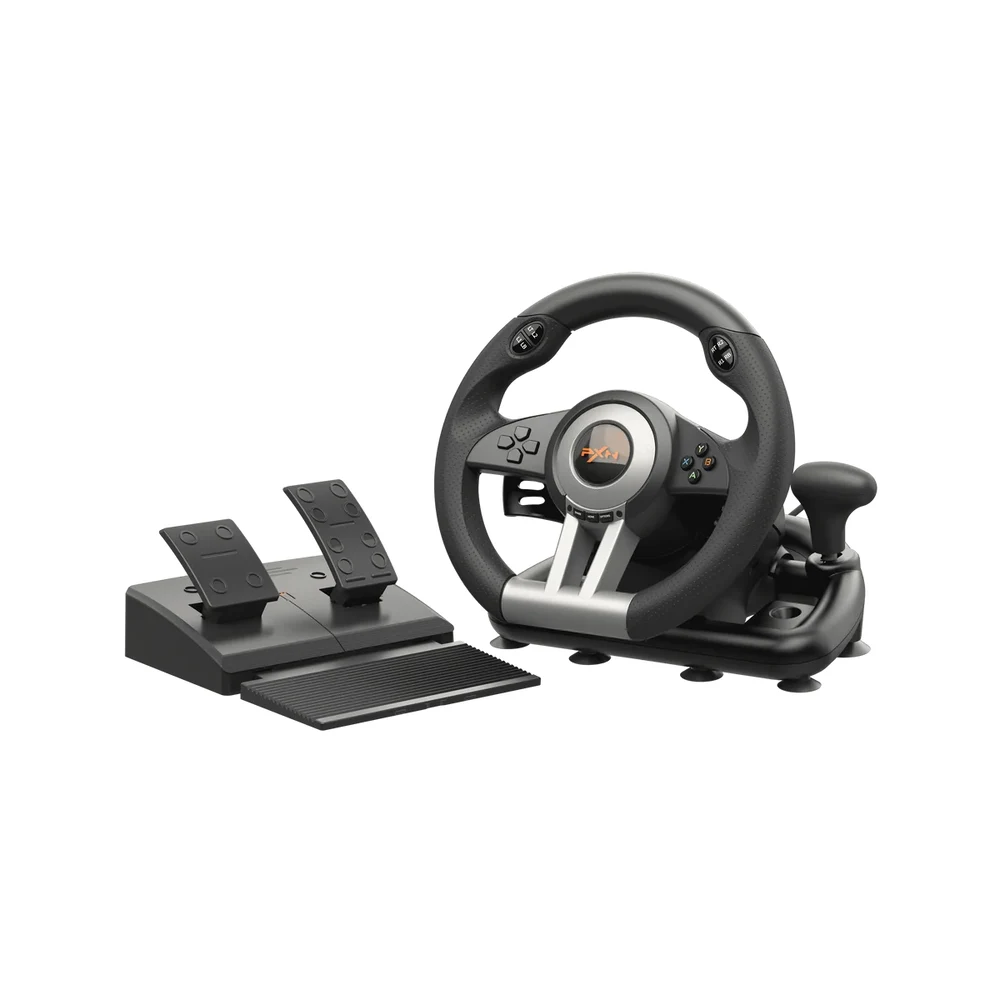
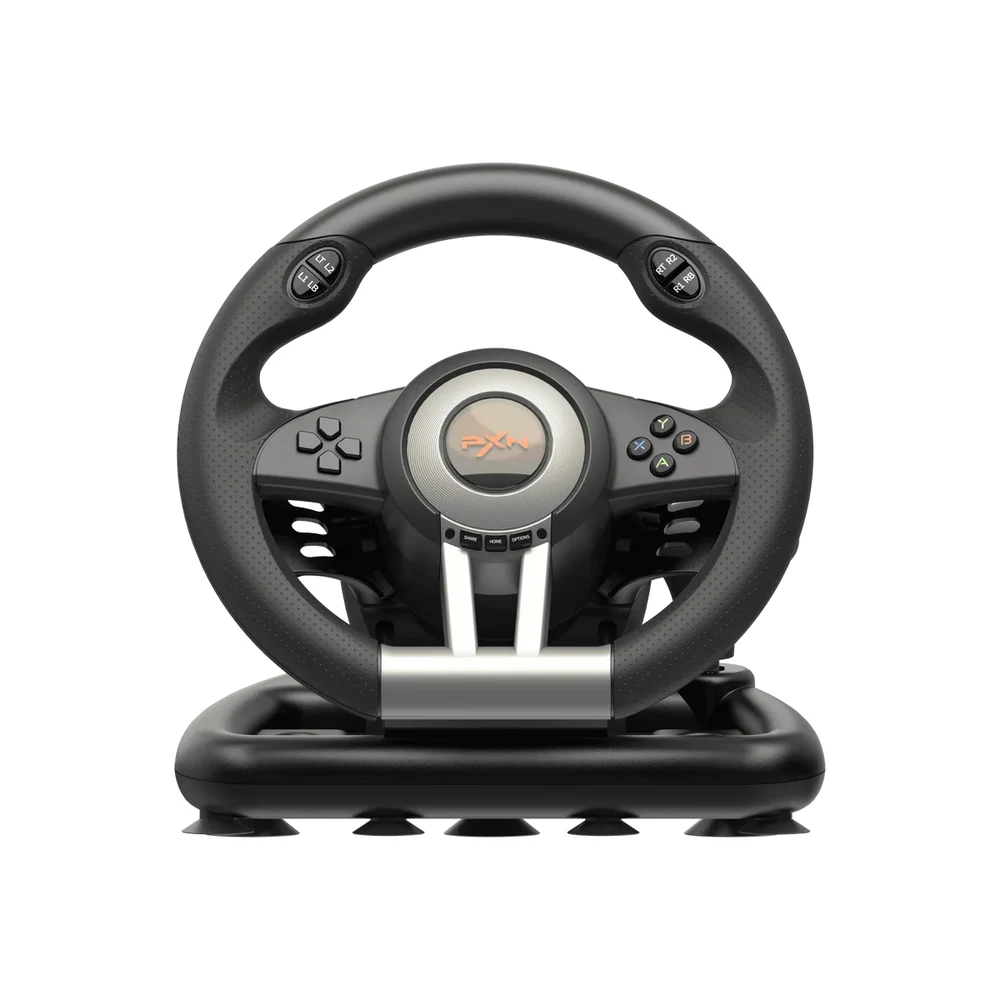


The PXN V3 Pro Gaming Steering Wheel in Black is a wired wheel and pedal set for players who want to stop steering with a thumbstick. It turns 180° from lock to lock, rumbles through built-in vibration motors, and comes with a foldable throttle and brake unit plus paddle shifters behind the rim. PXN lists it for Windows PC, Xbox One, Xbox Series X|S, PS4, PS3 and Nintendo Switch, and the black finish keeps it low-key on a dark desk or next to a TV stand.

Table of Contents
- The Black PXN V3 Pro Gaming Steering Wheel on Your Desk
- Moving From a Gamepad to a Wheel
- Vibration Motors, Not Force Feedback
- Setting It Up on PC, PlayStation, Xbox and Switch
- Mounting, Space and Storage
- Who This Is Not For
- Ordering the PXN V3 Pro Gaming Steering Wheel in the UAE
- Technical Specifications
- FAQ
The Black PXN V3 Pro Gaming Steering Wheel on Your Desk
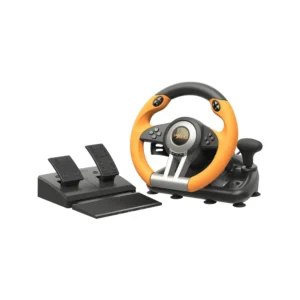
PXN makes the PXN V3 Pro Gaming Steering Wheel in two finishes, Black and Orange, with the same hardware inside. The black version is mostly matte black plastic with silver-toned spokes and a small coloured PXN badge at the centre, so it reads as a piece of gaming gear rather than a toy. It sits quietly next to a black monitor, keyboard and mouse, and it does not shout for attention when it stays clamped to the desk between sessions.
A black PXN V3 Pro Gaming Steering Wheel also hides daily wear well. Hand oils, light scuffs on the rim and dust on the pedal base are much less visible than on a bright finish, which helps when the wheel is shared between brothers, kids and guests on a family race night. If you prefer a louder colour that stands out in photos and streams, the orange version is the same wheel in a brighter shell.
Moving From a Gamepad to a Wheel
The biggest change is how you steer. A thumbstick gives you a few millimetres of travel, while the PXN V3 Pro Gaming Steering Wheel spreads the same input across 180° of rim rotation. That makes small corrections smoother, and it is easier to hold a steady line through a long bend. The short range also means you never have to shuffle your hands around the rim, which suits arcade racers, kart games and casual driving titles.
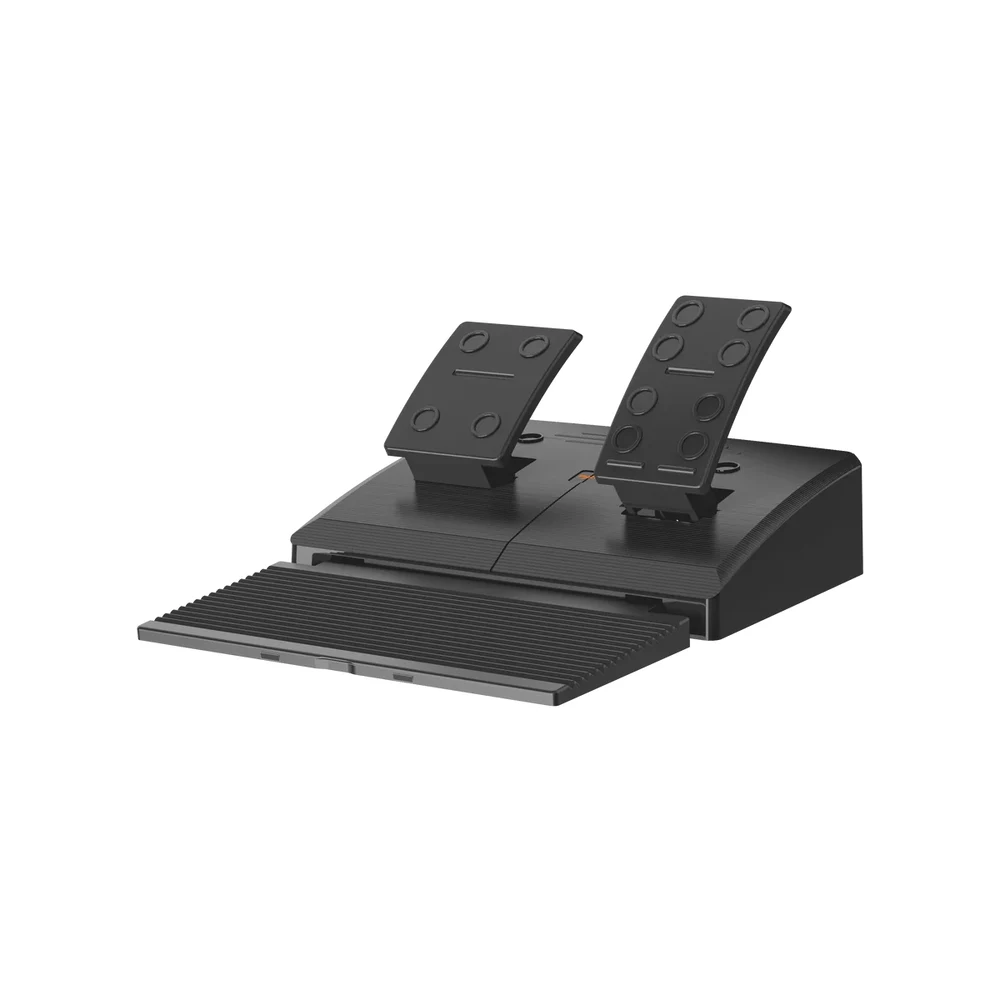
The pedals of the PXN V3 Pro Gaming Steering Wheel change things too. PXN uses linear pedals, so the throttle and brake respond progressively instead of acting like on-off buttons. Expect a short learning period of a few evenings: most new wheel users brake too hard at first, then learn to feather the pedal. Full simulators are usually tuned for 900° wheels, so in those games this 180° wheel will feel quick and twitchy unless you lower the in-game steering sensitivity.
Vibration Motors, Not Force Feedback
PXN states clearly that the PXN V3 Pro Gaming Steering Wheel has built-in vibration motors and does not support true force feedback. You feel rumble when you hit a wall, run onto a kerb or drive over gravel, but there is no motor pushing the wheel against your hands or pulling it back to centre after a turn. Centring is mechanical, as on most entry-level wheels.
On Windows the PXN V3 Pro Gaming Steering Wheel can run in X-input or D-input mode. PXN notes that there is no vibration feedback in X-input mode, so switch to D-input when a game supports it and you want the rumble. Many newer PC racing games default to X-input controls, which is worth knowing before you assume the motors are faulty.
Setting It Up on PC, PlayStation, Xbox and Switch
On PC the wheel is plug and play over USB, and PXN offers a driver download on its official product page for players who want extra configuration. Nintendo Switch is on the official compatibility list as well. Two data cables come in the box for the different connection layouts.
Console use of the PXN V3 Pro Gaming Steering Wheel needs a little more care. PXN’s FAQ for this model says that on PS4 an original PS4 controller must be connected to the wheel with a data-transfer cable, and that a cable which only charges will not work. PXN’s compatibility notes describe Xbox One and Xbox Series X|S use through a connected controller as well, and its setup tutorial walks through both consoles. PS5 is not on PXN’s list for this wheel.
Mounting, Space and Storage
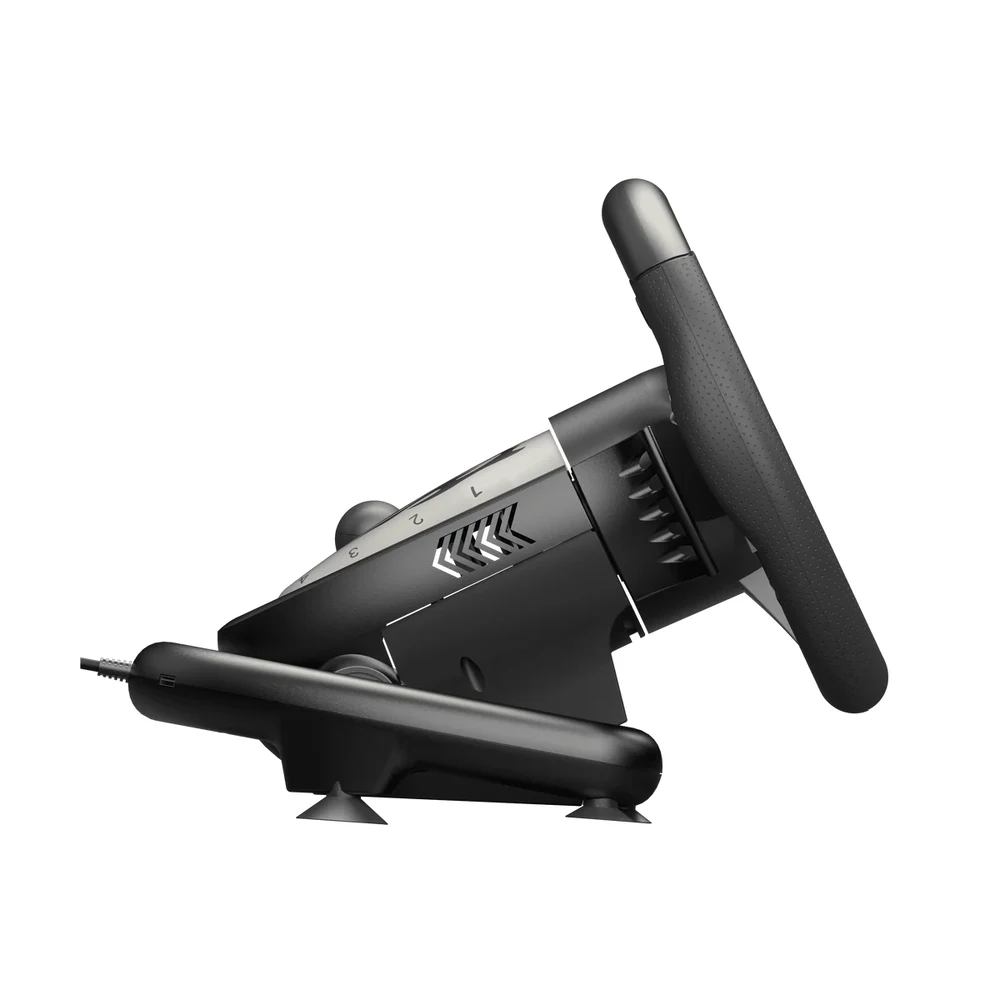
PXN supplies two ways to hold the PXN V3 Pro Gaming Steering Wheel in place: suction cups under the base for smooth, level tables, and a clamp bracket (listed in the box as a C-type bracket) for desks with an edge. The clamp is the safer option if you brake hard or turn aggressively, since suction cups can creep on textured or dusty surfaces.
PXN lists overall figures of 13.9 x 12.9 x 10.6 inches and 6.75 pounds without saying whether they describe the boxed set, so allow generous room. Put the pedal unit on a hard floor or a rubber mat; on a smooth tiled floor it can slide forward under heavy braking. The pedals fold for storage, which helps if the set goes back into a cupboard after the weekend.
Who This Is Not For
The PXN V3 Pro Gaming Steering Wheel is not a wheel for serious sim racing. There is no force feedback, rotation stops at 180°, and the set has no clutch pedal or H-pattern shifter, so drivers who want realistic steering weight in simulator titles should look at a force feedback wheel instead.
It is also not a PS5 accessory, because PXN does not list PS5 support, and PS4 players need an original PS4 controller connected to the wheel. The shift paddles are plastic rather than metal, which is normal at this level but worth knowing if you expect a premium feel.
Ordering the PXN V3 Pro Gaming Steering Wheel in the UAE
Orders reach every emirate within up to 3 business days, and delivery is free on orders from AED 300. The wheel is covered by a 1-year warranty from Totot. If an item arrives defective or does not match its description you can return it within 14 days, and any shipping damage should be reported to us within 48 hours of delivery.
Technical Specifications
- Model: PXN V3 Pro (Black)
- Rotation: 180° lock to lock
- Wheel: 260 mm (about 10.24 in), rubber grip
- Feedback: Built-in vibration motors; no force feedback; no vibration in X-input mode on PC
- Pedals: Foldable throttle and brake with linear pedal technology
- Shifting: Sequential paddle shifters (plastic)
- Connection: Wired USB, plug and play on PC; X-input and D-input modes
- Compatibility: Windows PC, Xbox One, Xbox Series X|S, PS4, PS3, Nintendo Switch (PS4 requires an original PS4 controller; PS5 not listed)
- Mounting: Suction cups and C-type clamp bracket
- Size and weight: 13.9 x 12.9 x 10.6 in, 6.75 lb (as listed by PXN)
- In the box: Steering wheel, pedal unit, C-type bracket, 2 data cables, user manual
- Colour: Black (also made in Orange)
- Warranty: 1-year warranty from Totot
Specifications, box contents and the force feedback note come from PXN’s official store listing; colours, dimensions and platforms come from PXN’s official V3 Pro product page, and the PS4 controller requirement from PXN’s official V3 Pro FAQ. Full details are published on the official PXN V3 Pro product page.
FAQ
Does the PXN V3 Pro Gaming Steering Wheel have force feedback?
No. PXN fits built-in vibration motors for rumble effects, but the wheel does not resist your hands or recentre itself with a motor.
Why do I feel no vibration on PC?
No vibration is expected in X-input mode, according to PXN. Switch the wheel to D-input mode in games that support it to get the rumble.
Can I use the PXN V3 Pro Gaming Steering Wheel on PS5?
No. PS5 is not on PXN’s compatibility list for the V3 Pro; PXN lists PC, Xbox One, Xbox Series X|S, PS4, PS3 and Switch.
Is the black version different from the orange one inside?
No. PXN builds both colours with the same wheel, pedals and paddles; only the shell colour changes.
Will it stay in place on a glass table?
Yes, on smooth glass the suction cups grip well. On wooden or textured desks with an edge, the included clamp bracket is the steadier choice.
Browse more in our Gaming Steering range. Every order from Totot carries a 1-year warranty covering manufacturing defects, with our 14-day return policy for defective or non-compliant items, and nationwide UAE delivery.





 No products in the cart.
Reviews
There are no reviews yet