


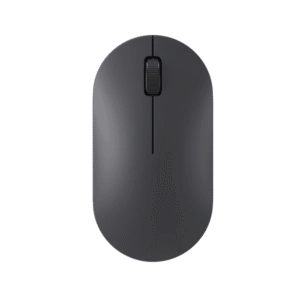
The Apple Magic Mouse Black is the dark version of Apple’s wireless mouse, listed in Apple’s store as Magic Mouse (USB-C) with Black Multi-Touch Surface, part number MXK63. The top shell is the control itself: press anywhere to click, slide a finger to scroll, and swipe to move between pages. It connects over Bluetooth, recharges through a USB-C port, and comes with a woven USB-C charge cable. The black finish is meant for darker desks and Macs in deep colours.

Table of Contents
A black mouse on a dark desk
Most people pick the Apple Magic Mouse Black to match a dark setup: a MacBook in Midnight or Space Black, a black keyboard, a dark desk mat. On those desks a white mouse stands out as the one bright object, while the black one blends in. In practical terms, light everyday grime does not show on the black surface the way it does on the white version. Smooth black does reveal dust and the shine of fingerprints under direct light, so a quick wipe with a microfibre cloth now and then keeps it looking clean.

Gestures you will actually use
The gesture you will use most on the Apple Magic Mouse Black is one-finger scrolling in any direction, up and down through documents or sideways across spreadsheets and video timelines. Swipe left or right with one finger to go back and forward in a browser, and with two fingers to switch between full-screen apps. Secondary click (right-click) and these gestures are set in the mouse settings in macOS. It takes a few days to get used to, after which moving through long documents feels quicker than with a scroll wheel.

Charging and battery in daily use
The Apple Magic Mouse Black has its USB-C port on the underside, so it charges upside down and cannot be used while plugged in. Apple says a full charge lasts about a month or more between charges, so the practical habit is to plug it in when macOS warns that the battery is low, at the end of the day or during a break. The box includes a woven USB-C charge cable but no power adapter; you can charge it from a USB-C port on your Mac, and the first time you connect it by cable it pairs automatically.

Working with iPad and Apple Vision Pro
The Apple Magic Mouse Black is not limited to a Mac. Apple lists compatibility with a wide range of iPad Pro, iPad Air, iPad and iPad mini models running iPadOS 18.1 or later, as well as Apple Vision Pro with M2 or M5. On an iPad the round pointer makes selecting and editing long text far more precise than a fingertip. On the Mac side it needs macOS 15.1 or later and supports MacBook Neo, MacBook Air from M1 onwards, MacBook Pro from 2020, iMac from 2021, Mac mini, Mac Studio and Mac Pro (2023).

Size, weight and the white version
The Apple Magic Mouse Black is 2.16 cm high, 5.71 cm wide and 11.35 cm deep, and weighs about 99 g, the same figures as the white version. Specifications, gestures and battery are identical; only the colour of the surface differs. If your desk is light and your Mac is silver, white fits better. If your desk is dark, or you would rather not see everyday marks, choose black.
Who This Is Not For
The Apple Magic Mouse Black is not for gamers or anyone who needs side buttons and a real scroll wheel. Its very low profile does not suit people who work long hours and prefer a taller mouse that supports the palm. It cannot be used while charging because the port is underneath. On Windows it works only as a basic Bluetooth mouse, without the macOS gestures.
Ordering from Totot
Totot sells the Apple Magic Mouse Black brand-new and genuine in its sealed box, backed by a 1-year warranty from Totot. It reaches any emirate within 3 business days at most, with free delivery on orders from AED 300, with cash on delivery or instalments via Tabby and Tamara. Items that arrive defective or not as ordered can be returned within 14 days, and any shipping damage should be reported within 48 hours of delivery. Browse more in our Mouse range, or see the official Magic Mouse (Black Multi-Touch Surface) page on Apple UAE.
Apple Magic Mouse Black Specifications
- Model: Apple Magic Mouse (USB-C), Black Multi-Touch Surface (MXK63)
- Colour: Black
- Surface: Multi-Touch, supports gestures and scrolling
- Connection: Bluetooth; pairs automatically when connected to a Mac by cable
- Charging: USB-C port on the underside
- Battery: About a month or more between charges, per Apple
- Dimensions: Height 2.16 cm, width 5.71 cm, depth 11.35 cm
- Weight: About 99 g
- System requirements: macOS 15.1 or later; iPadOS 18.1 or later
- Also works with: Apple Vision Pro (M2 and M5)
- In the box: Magic Mouse, woven USB-C Charge Cable
- Warranty: 1-year warranty from Totot
Apple Magic Mouse Black FAQ
Does the Apple Magic Mouse Black show dirt?
No, light grime is much less visible than on the white version, although dust and fingerprint shine can show under direct light and wipe off easily.
Does the Apple Magic Mouse Black work with Apple Vision Pro?
Yes. Apple lists it as compatible with Apple Vision Pro with M2 and M5.
Is the Apple Magic Mouse Black different from the white one?
No. Size, weight, gestures and battery are identical; only the surface colour differs.
Can I use it while it charges?
No. The USB-C port is on the underside, so it charges upside down.
Does it come with a power adapter?
No. The box contains the mouse and a USB-C charge cable; you can charge it from your Mac.
Is it genuine?
Yes. We sell the genuine Apple Magic Mouse with Black Multi-Touch Surface, brand-new in its sealed box.
How long does delivery take?
3 business days at most across the UAE. Orders from AED 300 ship free, and the checkout page shows any current fee for your order.





 No products in the cart.

أنس الفتال (verified owner) –