
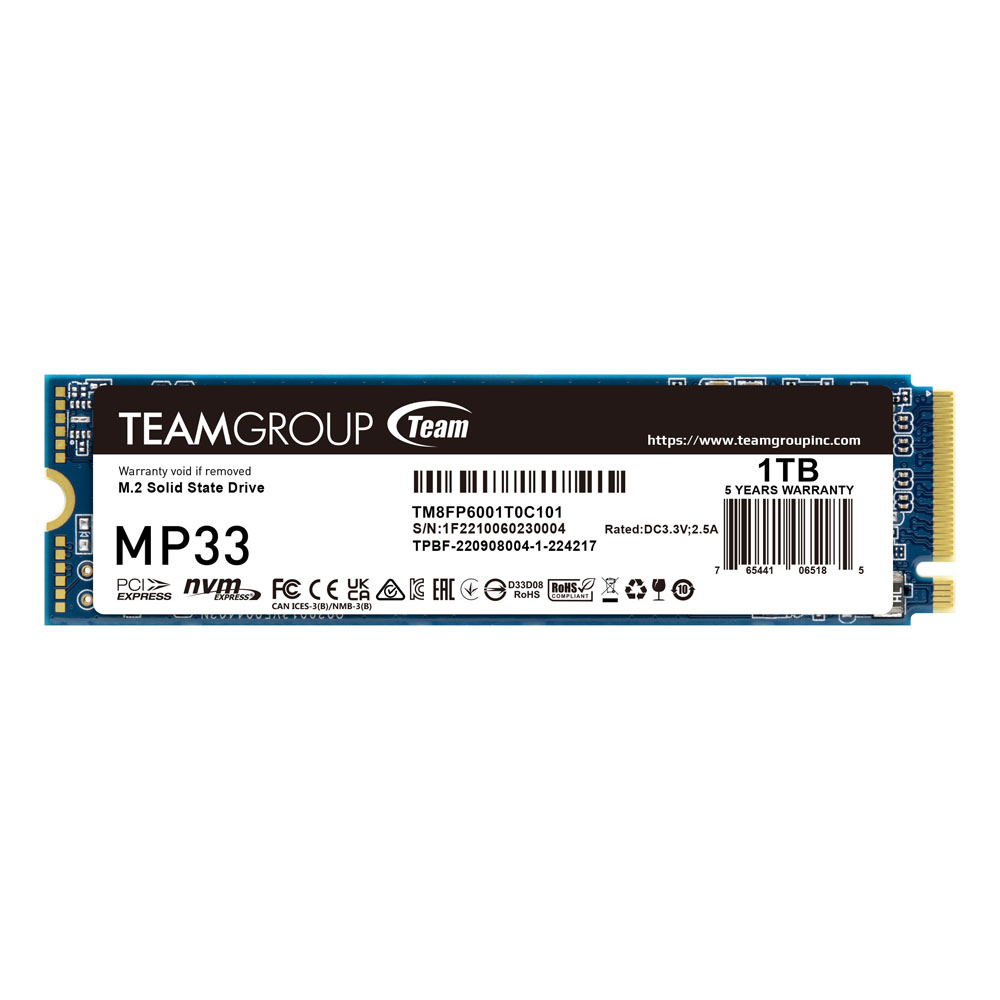
The Team Group MP33 1TB NVMe SSD is an ultra-fast PCIe 3.0 M.2 2280 solid-state drive, designed to significantly boost system performance with high read and write speeds. With 3D NAND technology, this SSD offers excellent reliability, low power consumption, and an extended lifespan, making it an ideal choice for gaming, professional workloads, and everyday computing. Compatible with desktops, laptops, and gaming rigs, the MP33 SSD provides a seamless upgrade for faster boot times, quick application launches, and enhanced overall efficiency.
Key Features:
- Ultra-Fast PCIe 3.0 Performance: Enjoy read speeds up to 1,800MB/s and write speeds up to 1,500MB/s.
- 1TB Storage Capacity: Ample space for your operating system, games, and files.
- 3D NAND Technology: Ensures greater durability and efficiency compared to traditional SSDs.
- M.2 2280 Form Factor: Compact size, perfect for desktops, laptops, and ultrabooks.
- Low Power Consumption: Optimized for energy efficiency and longer device lifespan.
- Reliable & Durable: Features built-in error correction technology (ECC) to enhance data integrity.
- Silent & Vibration-Free Operation: No moving parts, providing a quieter and cooler performance.
Specifications:
- Brand: Team Group
- Model: MP33 (TM8FP6001T0C101)
- Capacity: 1TB
- Interface: PCIe Gen3 x4, NVMe 1.3
- Form Factor: M.2 2280
- Read Speed: Up to 1,800MB/s
- Write Speed: Up to 1,500MB/s
- NAND Flash Type: 3D NAND
- TBW (Total Bytes Written): 600TBW (approximate)
- Operating Temperature: 0°C – 70°C
- MTBF (Mean Time Between Failures): 1,500,000 hours
- Dimensions: 80 x 22 x 3.8 mm
- Weight: 6g
Why Choose Team Group MP33 1TB NVMe SSD?
- High-Speed PCIe 3.0 Performance: Faster than SATA SSDs, delivering superior speeds for gaming and multitasking.
- Reliable & Energy-Efficient: 3D NAND technology enhances durability and reduces power consumption.
- Easy Upgrade: M.2 2280 form factor fits most laptops and desktops for hassle-free installation.
- Enhanced Stability: Built-in ECC & Wear-Leveling technology improves data integrity.
How to Install:
- Power Off Your Device: Ensure your PC or laptop is turned off and unplugged.
- Locate the M.2 Slot: Open the case and find the M.2 PCIe slot on the motherboard.
- Insert the SSD: Carefully align and slide the SSD into the slot at an angle.
- Secure with a Screw: Use the provided screw to fix the SSD in place.
- Boot Up & Format: Start your PC, enter BIOS, and format the SSD for first-time use.
Perfect For:
- Gaming Enthusiasts looking for fast game loading and smooth performance.
- Creative Professionals working with large files and applications.
- Laptop & PC Users wanting to upgrade to a faster and more reliable SSD.
- Everyday Computing with enhanced speed for web browsing, office tasks, and streaming.
The best bargain for upgrading
TEAMGROUP releases the new – MP33 M.2 PCIe Solid State Drive. It uses high-speed PCIe Gen3 x4 interface and complies with the NVMe 1.3 standard. With 3D nand flash memory, it is a great bargain and the performance is excellent. Both laptop and PC users can afford it easily, making it the best choice for upgrading.

3 times faster than SATA III
The maximum read/write speed of MP33 M.2 PCIe Solid State Drive is 1,800/1,500MB/s, which is three times faster than SATA 6Gb/s interface. It is able to reduce operating delays while gaming and loading software that gives computer workers and gamers the finest and smoothest gaming experience and extremely high-speed performance without any lag even loading heavy duty video/graphics editing software and games.

Available in all capacities
MP33 M.2 PCIe Solid State Drive are available in capacities of 128GB, 256GB, 512GB, 1TB, etc. Using the size of current mainstream specification 2280(W:22mm x L:80mm), it can be directly installed in the M.2 slot on the latest Intel and AMD motherboards. It is lightweight, thin, compact and supports Intel and AMD’s new platform. Suitable for players who have needs in speed, and it is the top choice when it comes to upgrading PC or laptop.

Comprehensive smart management mechanism
MP33 M.2 PCIe Solid State Drive supports S.M.A.R.T function and its built-in smart algorithm management mechanism has functions such as GC (garbage collection) and TRIM command which are able to ensure operation efficiency, enhance the service life of the solid state drive and bring it to its maximum performance. Meanwhile, the powerful Wear-Leveling technology and ECC (Error Correction Code) function improve the accuracy and reliability of data transfer and prolong the service life of the solid state drive.




 No products in the cart.
Reviews
There are no reviews yet