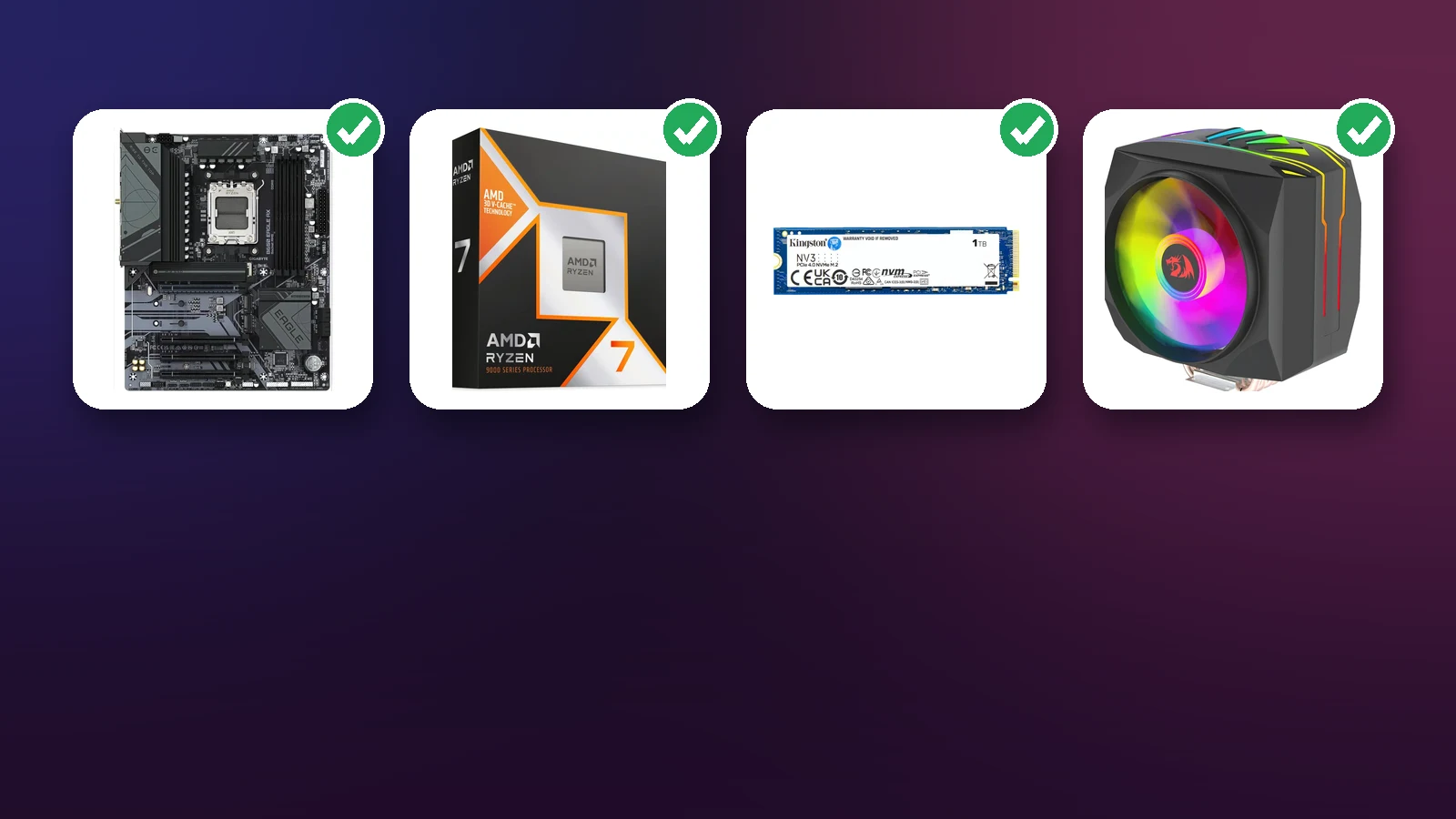
 Product photos from totot.ae
TOTOT.AE | VISUAL GUIDE BEFORE YOU BUY
How to Check PC Part Compatibility
Socket, BIOS, DDR4 vs DDR5, case size, GPU length and power supply. Every check comes with a real screenshot from the Totot PC Builder.
Most first-build problems are not caused by a broken part. They come from two parts that do not work together: a CPU that does not fit the motherboard, the wrong type of memory, or a graphics card longer than the case. This guide walks through each check one by one and shows how the free Totot PC Builder catches the mistake before you pay for anything.
The right order to pick parts
Compatibility works like a chain: every part narrows down the next one. Start with the CPU, because it sets the socket. The socket sets the motherboard, and the motherboard sets the memory type and the case size.
1. CPU socket and motherboard
The socket is the physical seat the processor sits in. An AM4 CPU will not go into an AM5 board, and a 14th-gen Intel chip will not fit an LGA1851 board. This is the first thing the PC Builder checks, and a wrong pick shows a red warning straight away:

| Socket | CPUs | Chipsets | Memory |
|---|---|---|---|
| AM5 | Ryzen 7000, 8000, 9000 | X870E, X870, B850, B840, X670E, X670, B650E, B650, A620 | DDR5 only |
| AM4 | Ryzen 5000, 3000 (board dependent) | X570, B550, A520, B450 | DDR4 only |
| LGA1851 | Intel Core Ultra 200 | Z890, B860, H810 | DDR5 only |
| LGA1700 | Intel 12th, 13th, 14th gen | Z790, B760, H770, Z690, B660, H610 | DDR4 or DDR5, depends on the board version |
2. BIOS: the trap nobody mentions
A CPU and board can share the same socket and the PC still will not boot. The usual reason is a board that left the factory with a BIOS older than the CPU. AMD itself says 600-series boards such as B650 and X670 may need a BIOS update for Ryzen 8000 and 9000 CPUs, otherwise the system may fail to boot.
3. Memory type and slots
DDR4 and DDR5 differ both physically and electrically. There is no such thing as “it fits but runs slower”. AM5 and LGA1851 boards take DDR5 only, AM4 boards take DDR4 only. LGA1700 is the odd one out: the same chipset is sold in two versions, and the DDR4 one usually has “D4” in its name. A CPU like the i5-12400F supports both, but the board decides.

The tool also checks stick count and total capacity: a board with two slots will not take 4×16GB.
4. Board size, case and GPU length
Boards come in ATX (large), Micro-ATX (medium) and Mini-ITX (small). A case that takes ATX also takes the smaller sizes, but not the other way round. Then look at a few numbers in the case specs:
5. Power supply
The PSU has to cover the CPU and GPU with a safety margin. NVIDIA, for example, lists 550W minimum system power for an RTX 5060 and 600W for an RTX 5060 Ti. Check the connectors too: the card needs an 8-pin cable or the newer PCIe Gen 5 cable (an adapter is in the box). The PC Builder estimates the draw and suggests a wattage:

6. F-series CPUs and integrated graphics
CPUs ending in F (such as the Ryzen 5 7500F or i5-12400F) have no integrated graphics. AMD’s spec page for the 7500F says “Discrete Graphics Card Required”, so with no graphics card you get no picture at all, not even to test the PC before the card arrives. The PC Builder warns you about this, as you saw in the first screenshot.
7. M.2 and SATA lanes
This one will not stop the PC booting, but it can surprise you: on some boards, filling a certain M.2 slot disables two SATA ports. The ASRock B550M Pro4 spec page says M2_2 and SATA3_5_6 share lanes, so using one disables the other. If you still run old SATA drives, read the storage page of the board manual.
Using the PC Builder step by step
Instead of opening ten tabs and comparing spec sheets, the PC Builder runs all seven checks for you. Its strongest feature is the “Compatible only” filter: after we picked an AM5 board, the CPU list dropped from 207 to the 28 CPUs that actually fit.


Real builder stories
Bought DDR4 for a Z790 board that turned out to be the DDR5 version, so the sticks would not go in. Replies told him to return them and buy DDR5; he said the planning site he used had not warned him.
Wrong memory typeSource ↗Asked why his memory would not fit. It turned out to be DDR4 sticks on a DDR5 board, and the advice was to return the RAM or swap the board.
DDR4 on DDR5Source ↗Put a Ryzen 7 9800X3D on a B650 board and got no POST, with the CPU and DRAM lights on. The BIOS was too old; it booted after a Flashback update. The button needs the PC off and a USB 3.0 drive.
Booted after BIOS updateSource ↗A GTX 1080 Ti would not fit in a Dell OptiPlex because the drive cage was in the way. The advice was to remove the cage or get a bigger case.
Case too small for the cardSource ↗✅ Pre-purchase checklist
- CPU and board share the same socket
- BIOS supports the CPU (especially Ryzen 9000 on 600-series boards)
- Memory matches the board: DDR4 or DDR5
- Stick count and capacity within the board limit
- Board size fits the case
- GPU length under the case limit
- Cooler height under the case limit
- PSU has headroom and the right GPU cables
- F-series CPU? You need a graphics card
- M.2 and SATA sharing checked in the manual
Frequently Asked Questions
Is the Totot PC Builder free?
Yes, it is free with no sign-up. You pick parts, it checks compatibility, and it shows live prices for the parts Totot has in stock.
How do I know if a CPU fits a motherboard?
They must share the same socket (for example AM5 with AM5), and the board BIOS must support the CPU, especially Ryzen 9000 CPUs on B650 and X670 boards.
Can I use DDR4 RAM on a DDR5 motherboard?
No. The two types differ physically and electrically, and the stick will not go into the slot.
What wattage power supply do I need?
It depends on the GPU and CPU. NVIDIA lists 550W minimum for an RTX 5060 PC, and the PC Builder estimates your draw and suggests a size with headroom.
Does the tool guarantee everything will fit?
It checks the main rules, but some details need a manual check, such as cooler height in a specific case or the BIOS version.
Plan your build in two minutes
50,000+ parts, instant compatibility checks and live Totot prices. Want someone to choose for you? Our team designs a custom build for 49 AED, and you get it back as a coupon when you buy the parts from us.
Open the PC Builder →
 No products in the cart.