
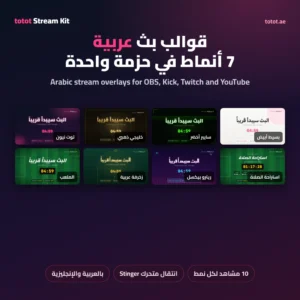
Totot Stream Kit is a set of Arabic Stream Overlays for OBS Studio, built for streamers on Kick, Twitch, YouTube and TikTok Live. One download holds seven complete styles, each with ten scenes: Starting Soon with a countdown, Be Right Back, Ending, a gameplay frame with your camera and socials, a separate webcam frame, a rotating socials bar, a vertical layout for phone streams, a chat frame, a Prayer Break scene and an Iftar countdown. These Arabic stream overlays are made by Totot in the UAE and work in Arabic or English.
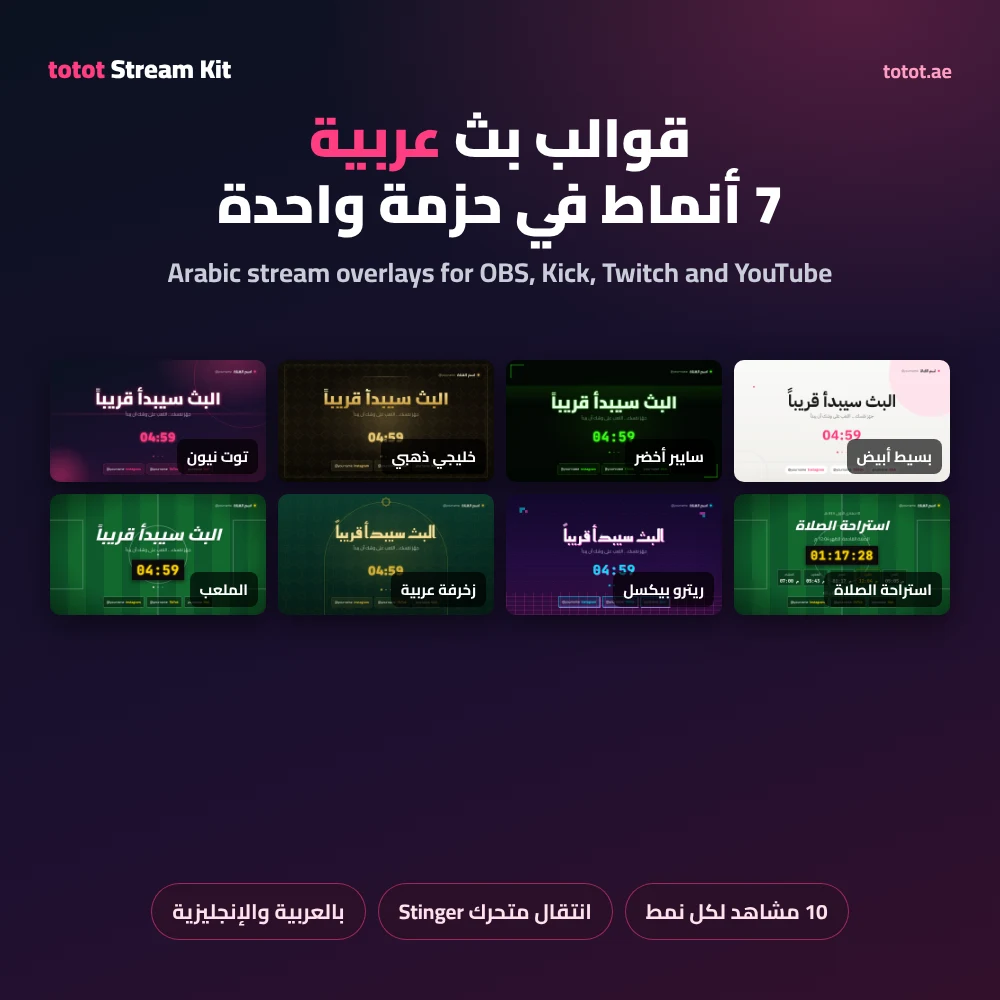
Table of Contents
Seven styles of Arabic Stream Overlays
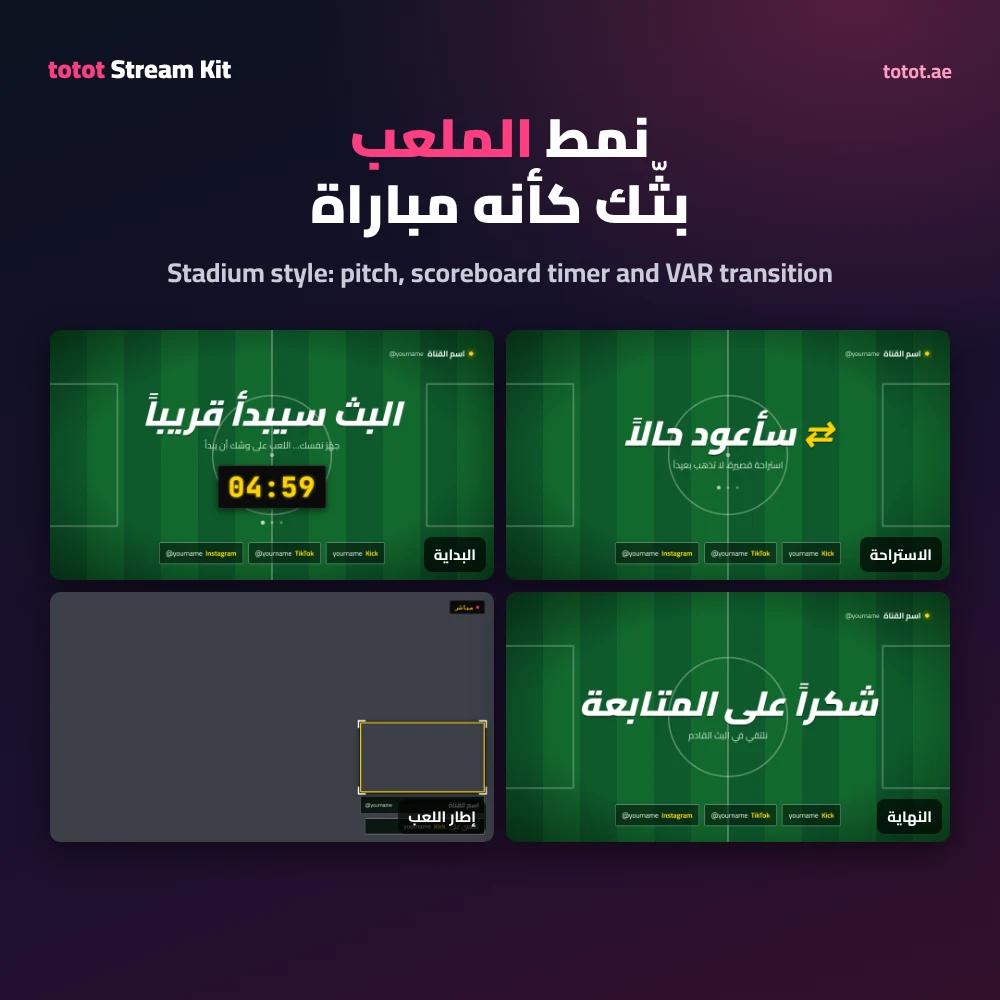
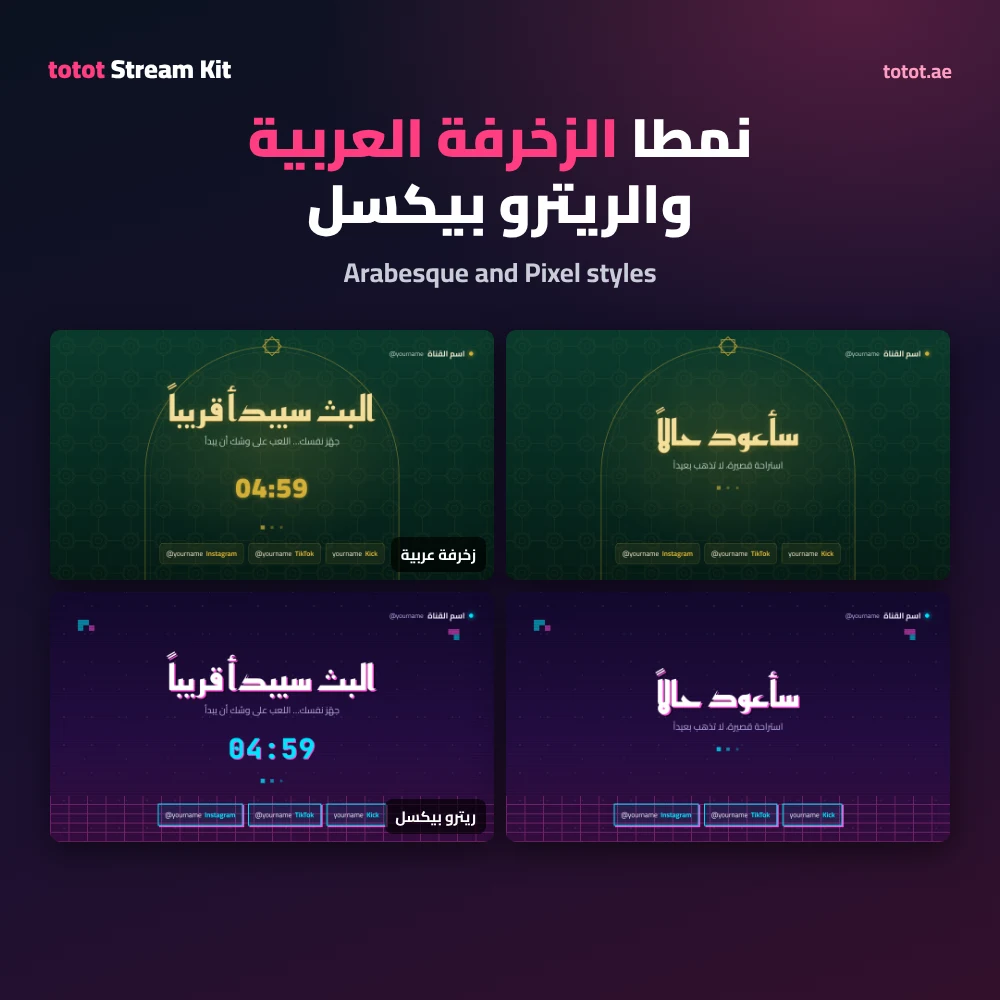
Every style of these Arabic stream overlays has its own colours, fonts, background animation and transition. Neon uses a pink glow on deep navy. Gulf Gold uses warm gold frames on black with a geometric pattern. Cyber Green uses a moving grid and glitch titles. Minimal White is clean and bright for chat and study streams. Stadium turns your stream into a match, with a striped pitch, an LED scoreboard timer, a substitution-board style break screen and a VAR check transition. Arabesque uses an emerald and gold eight-point star pattern under an arch with Kufi titles. Pixel brings a retro arcade look with pixel shadows, scanlines and a GG transition.
Each style of the Arabic stream overlays comes with its own animated stinger transition as a transparent WebM file, so switching scenes in OBS looks finished. You can use one style for everything or mix them across different shows.
Prayer Break and Iftar countdown
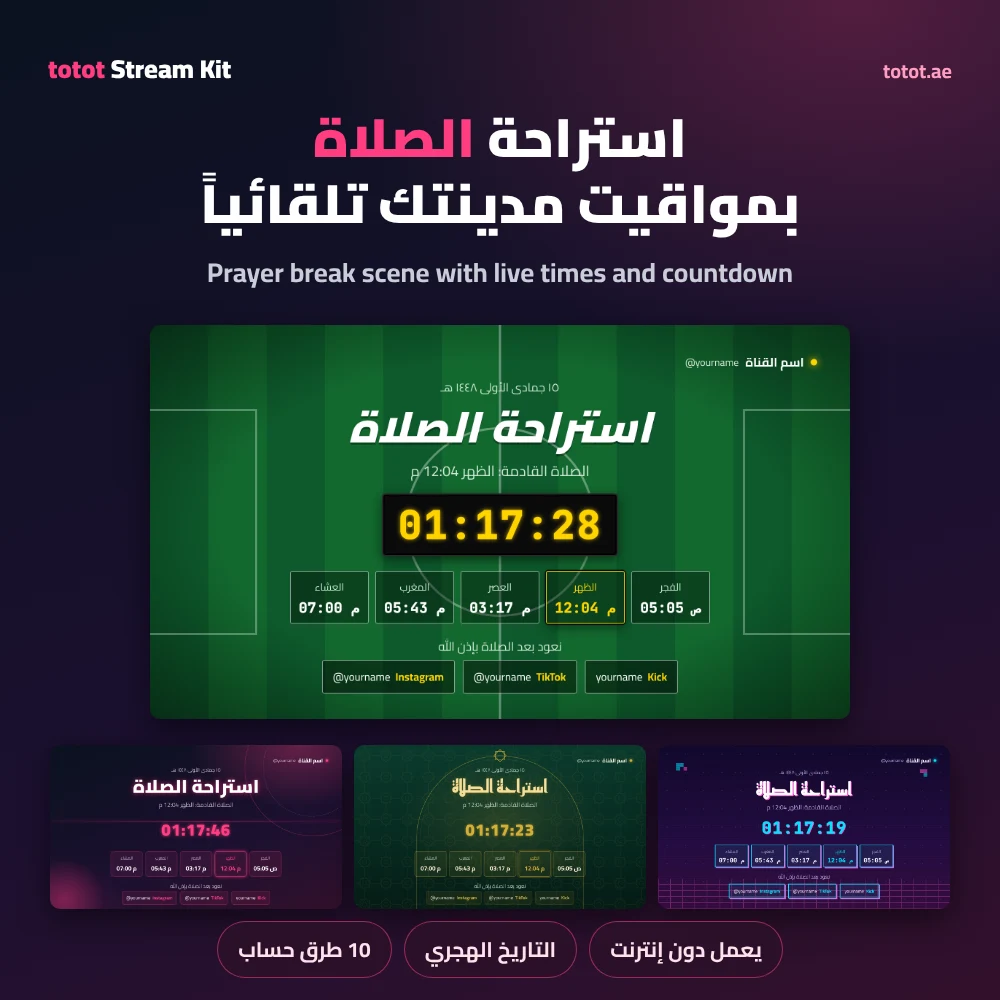
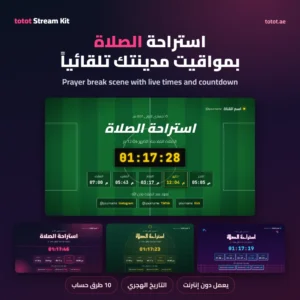
The Prayer Break scene in the Arabic stream overlays shows today’s five prayer times for your city, highlights the next prayer, counts down to it and shows the Hijri date, with a message that you will be back after prayer. Choose your city from a list of UAE, Gulf and Arab cities and pick one of ten calculation methods, including the UAE, Umm Al-Qura, Kuwait, Qatar, Egypt and Jordan. Times are calculated on your PC, so the scene keeps working without internet. Calculated times can differ by a minute or two from your local mosque, and the settings file lets you adjust each prayer.
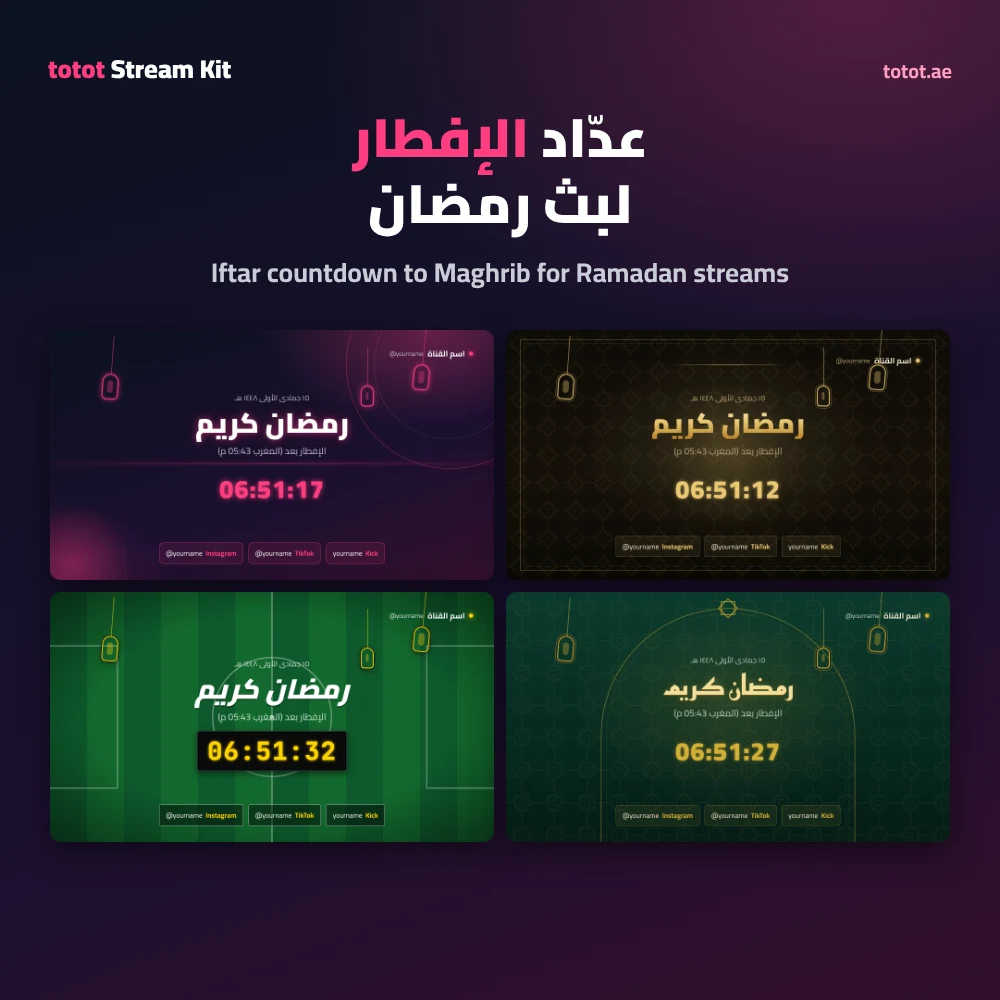
The Iftar scene of the Arabic stream overlays counts down to Maghrib for Ramadan streams, shows Ramadan Kareem with swinging lanterns and switches to a greeting once it is time to break the fast.
Customise without any software
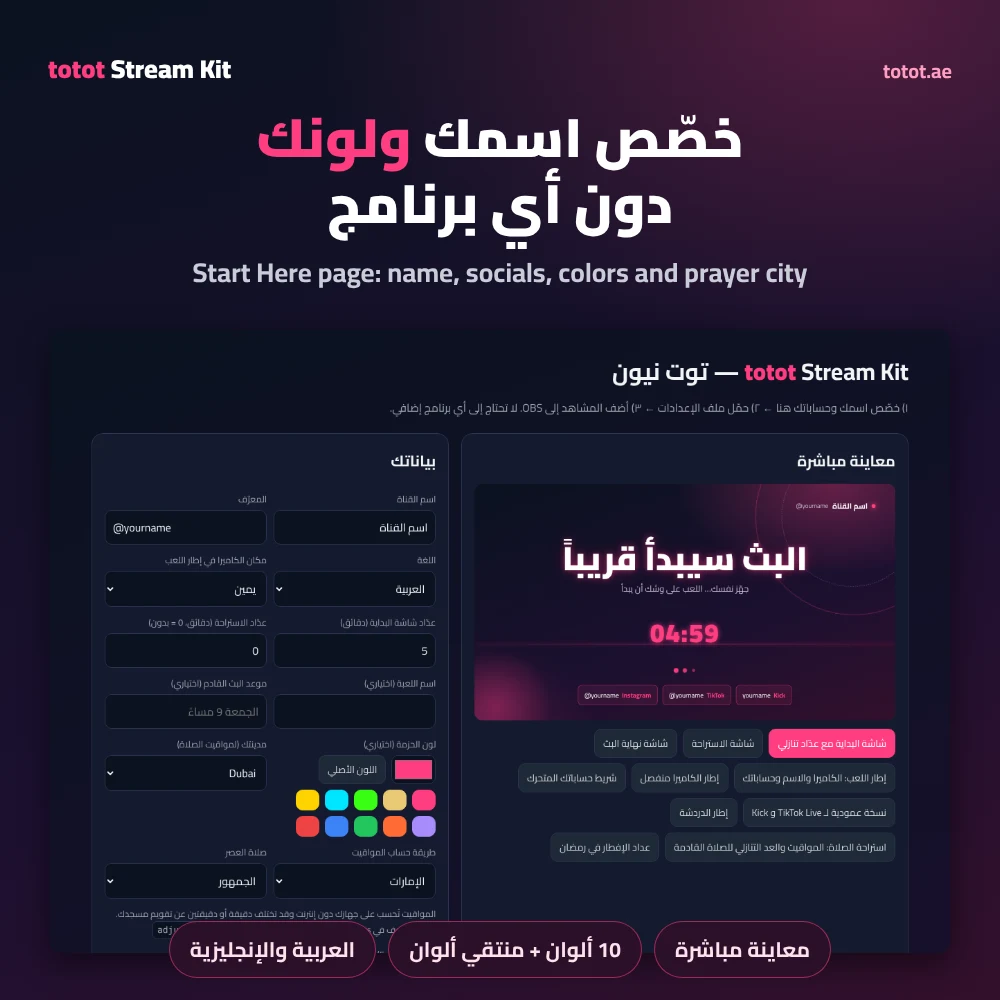
Open the Start Here page in your browser and you get a live preview of every scene. Type your channel name and handle, add up to five social accounts, set the countdown minutes, the game name and your next stream time, choose Arabic or English and pick where your camera sits. You can also change the main colour of any style with a colour picker or ten ready swatches. Press the download button to save your settings file, put it in the pack folder and every scene updates at once.
Adding the scenes to OBS
In OBS Studio, add a Browser source, tick Local file and choose a scene from the scenes folder. The Start Here page lists the right width and height for each scene, such as 1920 x 1080 for full screens and 1080 x 1920 for the vertical layout. Transparent scenes such as the gameplay frame, webcam frame and socials bar go on top of your game or camera. For the transition, add a Stinger in Scene Transitions, choose the stinger file and set the transition point to 650 ms. The same Arabic stream overlays also work in Streamlabs Desktop and any app with a browser source.
Who This Is Not For
- The Arabic stream overlays do not show live alerts for follows, subscriptions or donations; use your platform alerts or a service such as StreamElements alongside them.
- The chat frame is a frame only; place your platform’s chat source inside it.
- The Arabic stream overlays are HTML files for a browser source, not video files or Photoshop templates.
- Prayer times are calculated, not taken from your local mosque, and may differ by a minute or two.
- Your logo is not added automatically; the kit uses your channel name and colours.
Instant delivery after checkout
The Totot Stream Kit is a digital product, so nothing ships. Once payment goes through, the download links appear on the order confirmation page, in My Account under Downloads and in your order email. You get one ZIP file with all seven styles, about 3 MB, plus a separate ZIP for each style if you only want one. If a file does not open, contact us within 14 days under our return and refund policy. Support is at support@totot.ae.
Technical Specifications
- Product: Totot Stream Kit v1.1
- Type: digital download, Arabic stream overlays
- Styles: 7 (Neon, Gulf Gold, Cyber Green, Minimal White, Stadium, Arabesque, Pixel)
- Scenes per style: 10 (Starting Soon, Be Right Back, Ending, gameplay frame, webcam frame, socials bar, vertical layout, chat frame, Prayer Break, Iftar countdown)
- Transitions: 1 animated stinger per style, transparent WebM
- Languages: Arabic and English
- Works with: OBS Studio, Streamlabs Desktop and apps with a browser source
- Prayer times: 35 preset cities and custom coordinates, 10 calculation methods, offline calculation
- Fonts: Cairo, Reem Kufi, IBM Plex Sans Arabic and JetBrains Mono under the SIL Open Font License
- Download size: about 3 MB for all seven styles
- Licence: personal and monetised streams; no resale or redistribution
- Support: support@totot.ae
FAQ
Do the Arabic stream overlays work with Kick and TikTok Live?
Yes. They run in OBS Studio, which streams to Kick, Twitch, YouTube and TikTok Live, and the vertical layout fits phone-style streams.
Do I need Photoshop or any other program?
No. You edit your name, socials and colours on the Start Here page in your browser.
How many styles are included?
7 styles, each with 10 scenes and its own transition.
Does the Prayer Break scene need internet?
No. Prayer times are calculated on your PC from your city and calculation method.
Can I change the colours?
Yes. Pick any colour on the Start Here page, or choose from ten ready swatches.
Can I switch the text to English?
Yes. Every scene works in Arabic or English from the same settings page.
What sizes are the scenes?
1920 x 1080 for full screens and the gameplay frame, 1080 x 1920 for the vertical layout, 800 x 580 for the webcam frame and 520 x 900 for the chat frame.
Can I use the Totot Stream Kit on a monetised channel?
Yes. The licence covers personal and monetised streams. Reselling or sharing the files is not allowed.
 No products in the cart.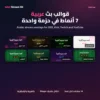
Reviews
There are no reviews yet